Click here to read all of the Technology in Your Homeschool posts.
Sponsored by Scholaric
 (pssst…this is the company we use for our homeschool lesson plans…LOVE them!)
Yesterday, we talked blogs, so today let’s take a natural progression and move to Pinterest.
 It’s no secret I love Pinterest. I use Pinterest, yes USE, Pinterest nearly every day. I have created boards for unit studies I’d like to use, holidays I’d like to celebrate in our homeschool, and subjects I want to cover, to name a few.
For those of you unfamiliar with the phenomenon that is Pinterest, it is basically an online bulletin board where you “pin” ideas from websites and categorize them to be able to use them later.
 There are several ways you can make Pinterest boards work for your homeschool…
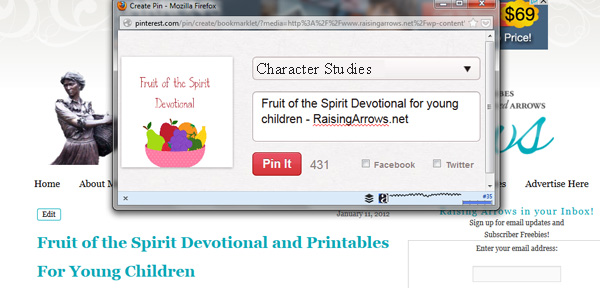
Peruse some of the great homeschool blogs I mentioned yesterday. When you find something you would like to try in your homeschool, add the specific post to Pinterest. (I use the Pin It bookmarklet in Firefox.)
You can simply add pins to a general board named something like:
Homeschool Ideas I’d Like To Try
but, I believe you will find it much more useful to be more specific.
Suppose you find this great little free devotional for children on the Fruits of the Spirit (ahem):
 You can pin it to a board you’ve named:
Character Studies
that way, when you decide to do a character study in your homeschool, you won’t have to wade through a ton of pins.
Or you could be even more specific and create a board named:
Fruits of the Spirit
This is especially useful if you are planning on doing an entire study on the Fruits of the Spirit.
When you pin a blog post, be sure to leave a note to yourself (and others who might be looking for this same information) in the Description Box.
 You can also search for specific topics of study on Pinterest itself. Suppose you are going to be studying Ancient World History soon. Set up a Pinterest board for that topic and then start searching Pinterest for pins pertaining to Ancient World History.
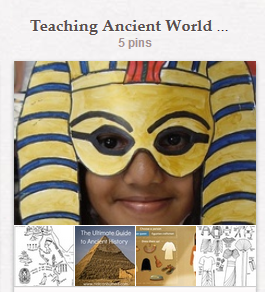 Be sure to check the links to the pins to make sure they actually point to the precise activity/information you are wanting, and then repin to your board.
It’s also ok to repin to several boards. Maybe you have found a great recipe for a Swedish Tea Ring (ahem again) and you want to pin it to Desserts, but then you remember you also plan to do a Foods From Around the World unit study in your homeschool. Pin the post to the Desserts board and then turn around and pin it again (or repin it from you Desserts board) to your Foods From Around the World board.
Many people talk about Pinterest as a time waster and a place where you store ideas you’ll never get around to doing, but I have found it to be the exact opposite. Pinterest has saved me time because everything I need for a carefully planned Medieval Feast or an impromptu crafting session with the kids is right there. And yes, I actually do many of the projects I pin.
Pinterest has truly been a wonderful addition to our homeschool!
You can find more ways to use technology in your homeschool at Sidetracked Sarah and Peace Creek on the Prairie.
Wendy Woerner says
I agree! I love Pinterest and I have made many of the recipes that I have ‘pinned’ there. I am planning to use many of the Early Education ‘pins’ to teach my 2 and 4 year olds.